
Interactive messages
Send buttons, lists, forms, carousels and booking cards, and handle structured responses with OpenWA V5.
Interactive messages require an applied Insiders or higher license. Use one JSON document with the SDK, HTTP API or a message builder. sendInteractive returns the serialized outgoing message ID; that confirms the send operation, not recipient rendering or interaction.
import { defineInteractiveMessage } from '@open-wa/wa-automate';

const message = defineInteractiveMessage({
  type: 'buttons',
  body: 'How can we help?',
  actions: [
    { type: 'reply', id: 'sales', label: 'Talk to sales' },
    { type: 'reply', id: 'support', label: 'Get support' },
  ],
});
client.onInteractiveResponse(response => {
  if (response.type === 'reply') console.log(response.id, response.originalMessageId);
});
const messageId = await client.sendInteractive('PHONE_NUMBER@c.us', message);
The HTTP equivalent is POST /api/messages/sendInteractive with { "to": "PHONE_NUMBER@c.us", "content": message }. Supply your configured API authentication. SDK and HTTP calls use the same validation and client implementation.
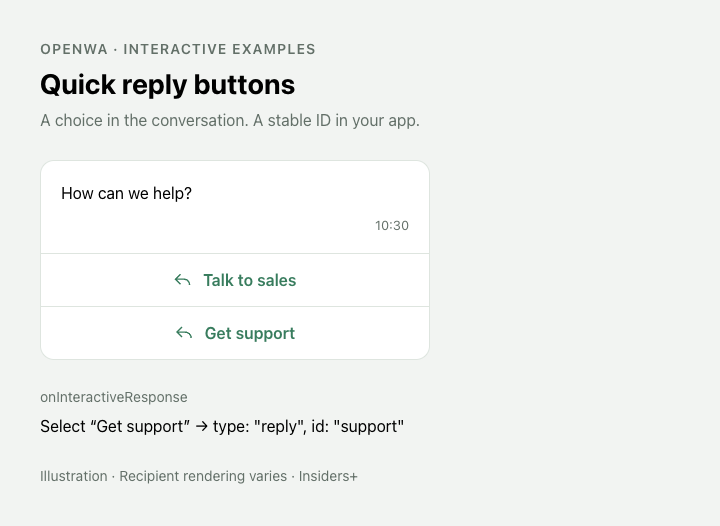
Illustrated examples: recipient appearance varies by WhatsApp version. All interactive message types require Insiders or above.
Connect the SDK client
The examples use the Client facade. If you are starting a standalone SDK app, create the runtime, attach the facade and start the session:
import { Client, createClient } from '@open-wa/wa-automate';
import { PuppeteerDriver } from '@open-wa/driver-puppeteer';

const runtime = await createClient({
  driver: new PuppeteerDriver(),
  licenseKey: process.env.WA_LICENSE_KEY,
  headless: false,
});
const client = new Client({ client: runtime, transport: runtime.getTransport() });
client.onFormResponse(response => console.log(response.answers));
await client.start();
// Authenticate in the browser, then use client.sendInteractive(...).
// When your application shuts down: await client.stop();
createClient from the core runtime exposes session lifecycle; the Client facade supplies messaging methods and typed listeners. The Easy API constructs this facade for you.
Document contract
version: 1 is optional and describes the OpenWA document format. Additive content types can be introduced without changing existing documents. Unknown fields are rejected so misspelled properties do not silently disappear. InteractiveContentSchema and the individual content/action schemas are exported by @open-wa/schema; InteractiveContentSchema, defineInteractiveMessage and the content types are also exported by the main package. Builders should store this document and export it directly, with no separate builder-specific wire format.
Every content variant has type, body and optional footer. Use application-defined stable IDs for replies, list rows, questions and options. Labels can change without changing how your application identifies the response. Lists default to “Choose an option” and bookings to “View booking” when buttonLabel is omitted. defineInteractiveMessage fills those defaults and retains the specific content type, so a list remains a list in TypeScript autocomplete.
| Type | Content |
|---|---|
buttons | actions, optional header |
list | sections, optional buttonLabel and title |
form | questions, optional title |
carousel | cards, each with an image header, body and actions |
booking | booking, optional buttonLabel, title and additional CTA actions |
native | Native actions and optional parameters/header for advanced extensions |
Actions and headers
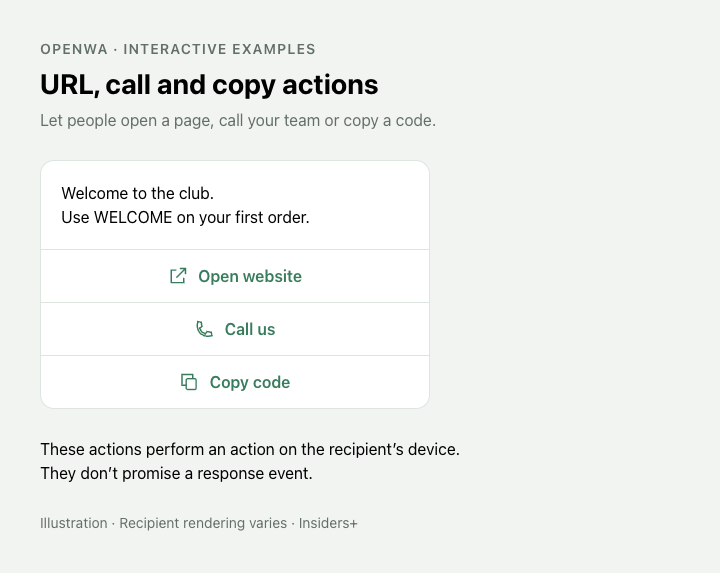
Offer a website link, phone action or copyable code. Keep these separate from reply buttons.
{ type: 'reply', id: 'yes', label: 'Yes' }
{ type: 'url', label: 'Open website', url: 'https://openwa.dev' }
{ type: 'call', label: 'Call us', phoneNumber: '+441234567890' }
{ type: 'copy', label: 'Copy code', code: 'WELCOME' }
Use reply actions together, or URL/call/copy actions together. Mixing reply and CTA actions is rejected. A URL action can open a map URL; sending a location card is a separate operation. Opening a URL, placing a call or copying text does not produce a promised response event.
Buttons and native messages accept text, image, video or document headers:
{ type: 'text', text: 'Welcome' }
{ type: 'image', source: 'https://example.com/photo.jpg', title: 'A photo' }
{ type: 'document', source: '/absolute/path/brochure.pdf', filename: 'brochure.pdf' }
Media sources can be HTTP(S) URLs, file paths on the API host, or base64 data URLs. They are resolved by the client and uploaded before sending. A saved website-builder document should use URLs or data URLs rather than paths on the user's computer. Recipient/version support varies; video/document interactive headers still require runtime acceptance for your recipient. Booking content deliberately has no image/header option.
Lists
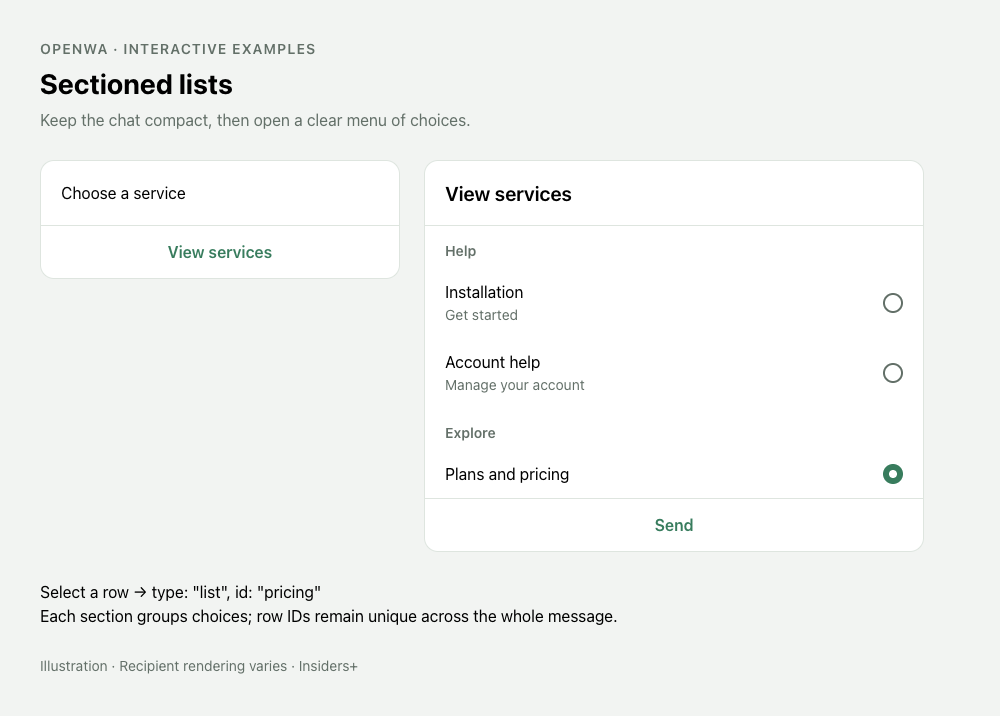
Group a longer menu into sections and handle the selected row ID.
await client.sendInteractive(to, {
  type: 'list', body: 'Choose a service', buttonLabel: 'View services',
  sections: [{ title: 'Help', rows: [
    { id: 'install', title: 'Installation', description: 'Get started' },
    { id: 'account', title: 'Account help' },
  ] }],
});
Row IDs must be unique across sections. A selected row arrives as type: 'list' with id and optional label.
Forms
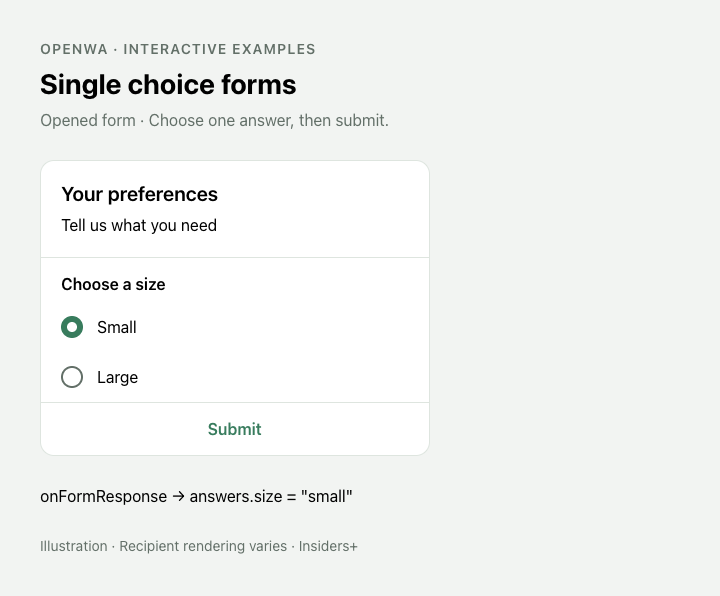
Ask for one choice with singleSelect.
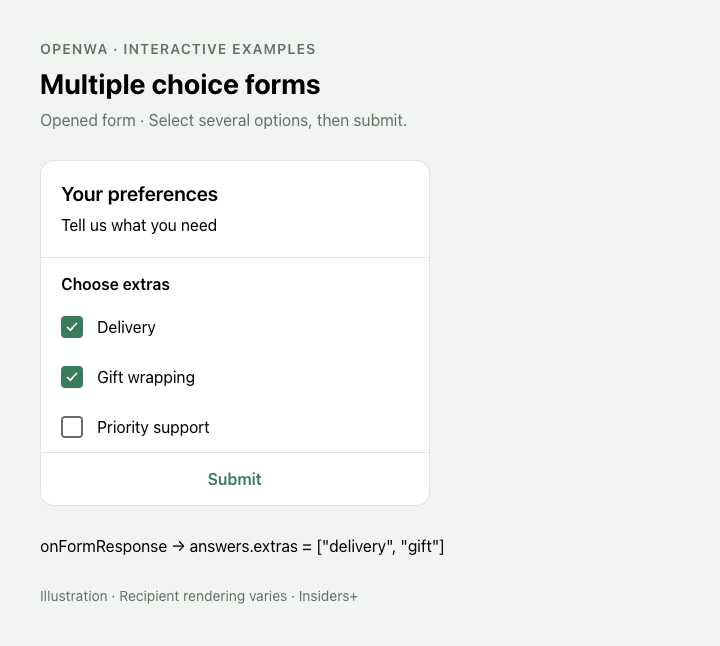
Collect several selections with multiSelect.
const subscription = client.onFormResponse(response => {
  console.log(response.messageId, response.originalMessageId, response.answers);
  // { size: 'small', extras: ['delivery', 'gift'] }
});
await client.sendInteractive(to, {
  type: 'form', title: 'Your preferences', body: 'Tell us what you need',
  questions: [
    { type: 'singleSelect', id: 'size', label: 'Choose a size', options: [
      { id: 'small', label: 'Small' }, { id: 'large', label: 'Large' },
    ] },
    { type: 'multiSelect', id: 'extras', label: 'Choose extras', options: [
      { id: 'delivery', label: 'Delivery' }, { id: 'gift', label: 'Gift wrapping' },
    ] },
  ],
});
// Stop this subscription later:
subscription.off();
Question IDs are unique within the form, and option IDs within each question. allowCustomAnswer is optional; applications should handle returned values beyond predefined option IDs when enabling it. Selection-count/required-field rules beyond the exposed choices are not implied by labels such as “choose two”.
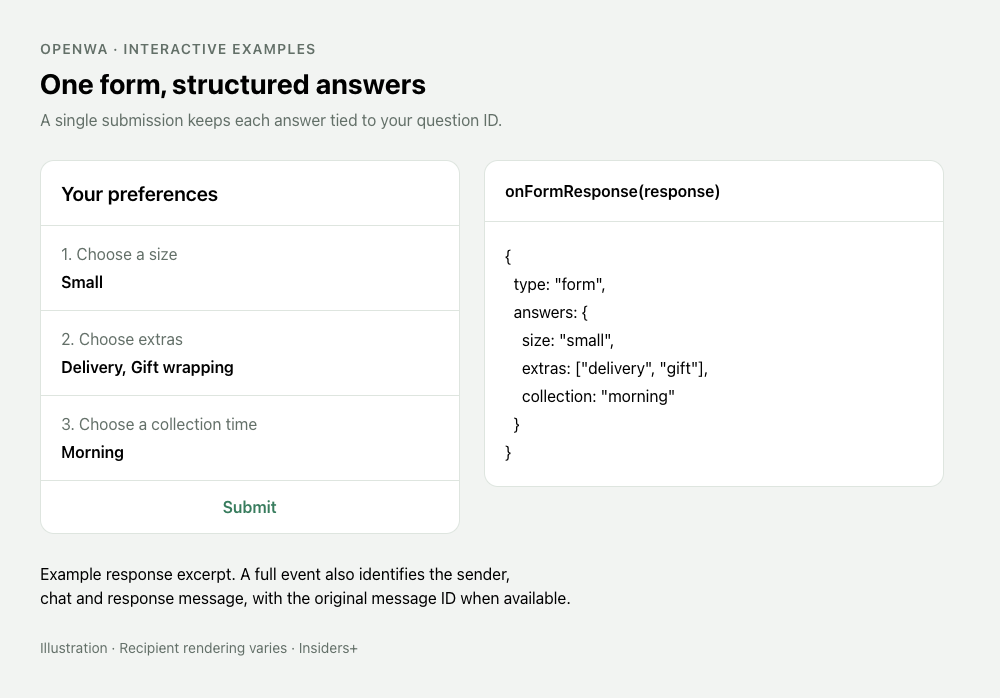
Question IDs connect the choices the recipient sees to the answers your code receives.
onFormResponse filters the same underlying stream as onInteractiveResponse; registering both deliberately delivers a form submission to both handlers. Responses carry messageId, chatId, senderId, optional originalMessageId/timestamp, and raw. originalMessageId may be a stanza ID rather than a full serialized key. Unexpected native response formats remain available as type: 'native' with name, parameters and an optional parseError.
HTTP integrations can subscribe to the same responses before sending a message:
curl -N -H "X-API-Key: $WA_API_KEY" \
  'http://localhost:8002/api/events?topics=interactive.response'
Each interactive.response event contains the response at payload.response. Use its type to select forms, replies or list selections, and its messageId to deduplicate events in your integration. The stream does not retain events for disconnected integrations. WhatsApp can deliver older responses during session synchronization; deduplicate by messageId and use timestamp when your workflow needs to reject stale submissions.
Carousels
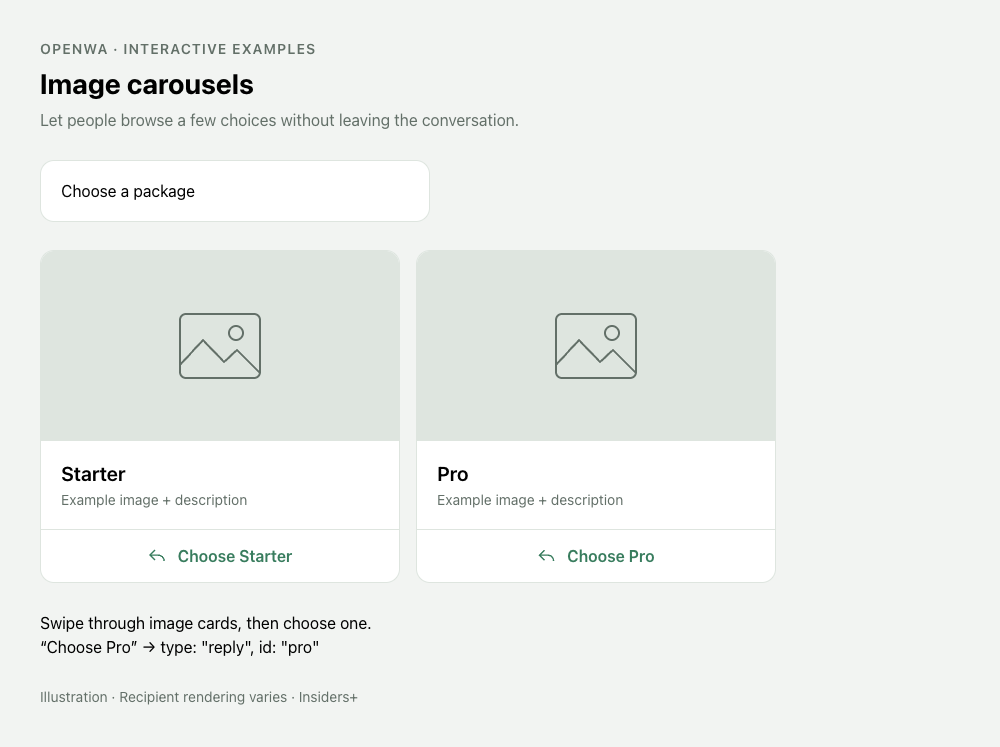
Each card has an image and its own actions.
await client.sendInteractive(to, {
  type: 'carousel', body: 'Choose a package', cards: [
    { body: 'Starter', header: { type: 'image', source: starterImage },
      actions: [{ type: 'reply', id: 'starter', label: 'Choose Starter' }] },
    { body: 'Pro', header: { type: 'image', source: proImage },
      actions: [{ type: 'reply', id: 'pro', label: 'Choose Pro' }] },
  ],
});
Card images are uploaded without sending separate seed messages. Give reply actions distinct IDs across cards if you need to distinguish the card from the response alone. Action combinations and recipient limits are subject to WhatsApp support.
Bookings
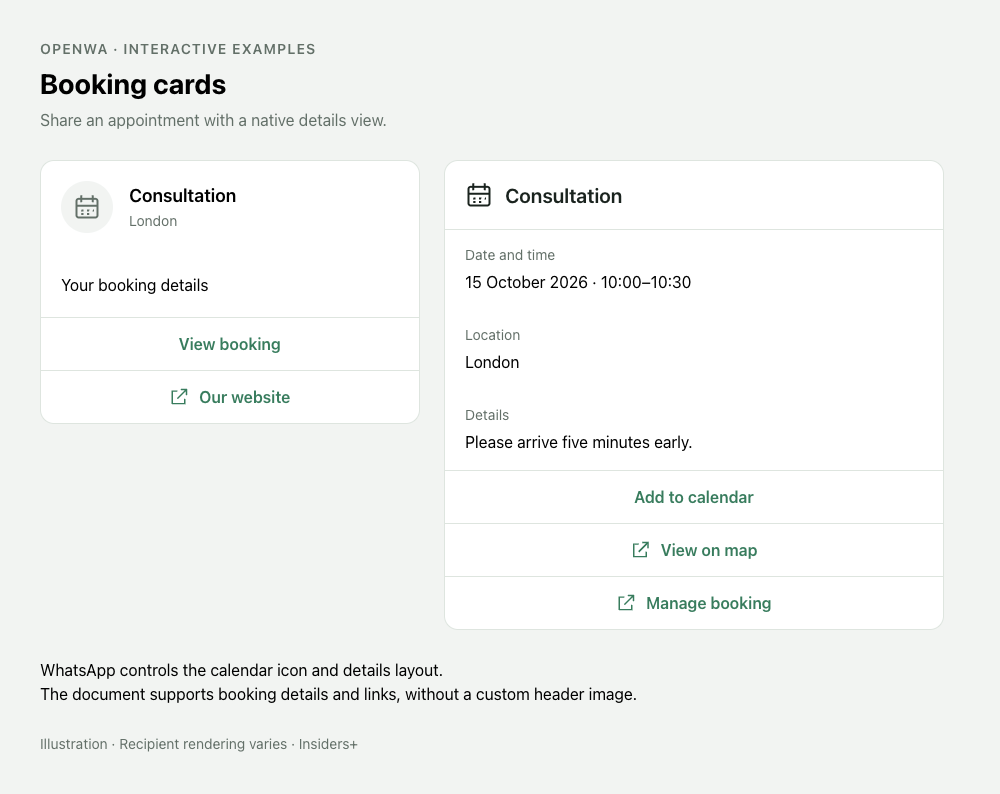
The recipient app supplies the calendar icon and details layout.
await client.sendInteractive(to, {
  type: 'booking', title: 'Consultation', body: 'Your booking details',
  buttonLabel: 'View booking',
  booking: {
    startAt: '2026-10-15T10:00:00+01:00', endAt: '2026-10-15T10:30:00+01:00',
    location: 'London', managementUrl: 'https://example.com/bookings/123',
    description: 'Please arrive five minutes early.',
  },
  actions: [{ type: 'url', label: 'Our website', url: 'https://example.com' }],
});
Optional booking fields include url, phoneNumber, email and labels (language, meetingType, detailsTitle, addToCalendar, viewOnMap, manageBooking). The recipient app controls the details UI and icon; custom logos/header images are not supported by this contract.
Advanced and future payloads
type: 'native' takes { name, parameters? } actions and optional message parameters. Objects are serialized by the implementation; callers do not need to double-encode JSON. This is an explicit advanced extension: passing schema validation does not establish that a new action is accepted by WhatsApp, enabled for the account or rendered by the recipient.
client.sendRawMessage(to, payload) accepts a JSON-compatible constructed protobuf Message object, including its message context. Its HTTP route is POST /api/messages/sendRaw with { to, payload }. The licensed B function uses the same sender. WhatsApp prepares the local message model and handles encryption and fanout; the supplied protocol payload is retained during that send. It is not the higher-level Baileys sendMessage convenience format and does not upload media referenced inside arbitrary payloads. Byte fields use base64 for JSON transport. Pass the message directly, such as { interactiveMessage: ... }; view-once and ephemeral wrappers are currently unsupported. Unknown fields, protobuf map fields and payloads the current WhatsApp parser cannot prepare are rejected. Arbitrary raw payload fidelity across later retries or a session restart is not guaranteed; use the typed content variants for routine messages.
No automatic retry is added around a failed send because an ambiguous result may already have reached the recipient. defineInteractiveMessage validates a document only; it does not check recipient capability, resolve media or send it.
Validation errors identify the invalid JSON field. Media-loading errors identify the header or carousel card, for example content.cards[1].header.source. Send errors expose the failure message directly; SDK errors retain the browser stack in cause for diagnosis.
Was this helpful?
Your answer includes the page path and docs version.